
An alias to free up space taken by Xcode caches
There’s a nifty alias shared by Fabio Giolito on twitter to free up a lot of the space that Xcode automatically uses on its caches. It’s really useful when setting up a work or personal machine.
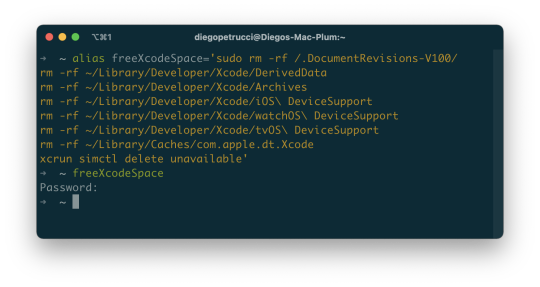
I’m going to repost it here (including Julio Carrettoni’s extra two commands) so that it’s easier for me to find it in the future, but again thanks to Fabio for sharing it.
sudo rm -rf /.DocumentRevisions-V100/
rm -rf ~/Library/Developer/Xcode/DerivedData
rm -rf ~/Library/Developer/Xcode/Archives
rm -rf ~/Library/Developer/Xcode/iOS DeviceSupport
rm -rf ~/Library/Developer/Xcode/watchOS DeviceSupport
rm -rf ~/Library/Developer/Xcode/tvOS DeviceSupport
rm -rf ~/Library/Caches/com.apple.dt.Xcode
xcrun simctl delete unavailable
And for whoever is not familiar with aliases, you can create one by writing alias yourAliasName='yourAliasCode' on the Terminal.
Update:
Beautiful human being Olivier Halligon on twitter:
> Note that all of this is done automatically by Xcode 12 and BigSur when you’re low on space now apparently
I personally haven’t been able to test this yet, but hopefully it works as advertised so won’t need the alias anymore.